IO Tab
The IO Tab allows for acquisition-related functionality such as executing user functions and starting/stopping acquisitions with precise timing.
- Related Documentation:
Acquisition Triggering GUI
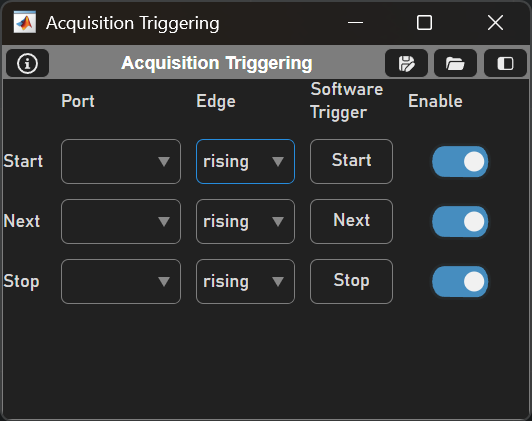
Table Column |
Description |
Port |
The hardware terminal where the digital signal will be detected. |
Edge |
Whether the port receiving the TTL will be triggered by a rising or falling edge. |
Software Trigger |
This button directly issues a software trigger to start/stop an acquisition or to advance logging to the next file beginning at the next frame. |
Enable |
This button enables or disables all acquisition triggering. |
User Functions
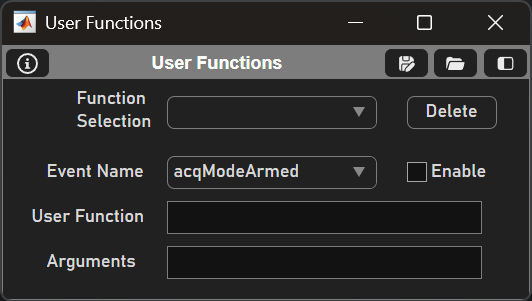
By using the ScanImage API, scripting custom functionality is possible with user functions. A user function has three arguments: the source (the UserFunction class), event (a Matlab EventData class), and a cell array of additional arguments.
More details on user functions can be found on the user functions page.
Element |
Description |
Function Selection |
Dropdown to select current user function
|
Delete |
Deletes the currently selected user function from the dropdown |
Event Name |
Dropdown to select the event that will trigger the user function |
Enable |
Checkbox to enable or disable the function call when the event is triggered |
Arguments |
Pass in a cell array of additional arguments to the function |