Tab Reference Guide
ScanImage 2025 and onwards for the foreseeable future is a one window interface with a left-panel and auxiliary panel featuring a tab groups. This helps to bring uicontrols into visibility based on the context of how you are currently using scanimage so that screen clutter can be reduced.
Below are links to reference pages describing all the user interface controls and displays contained in specific tabs and GUIs.
- Graphical User Interface
- Viewport
- Alignment Tab
- Arbitrary Line Scanning Tab
- Camera Tab
- Channels Tab
- Cycle Tab
- Display Settings
- Edit Stim Groups Tab
- Field Curvature Tab
- IO Tab
- Mosaic Tab
- Motion Tab
- Multiple Regions Of Interest Tab
- Online Analysis Tab
- Photostim Tab
- Power Box Tab
- Quick Analysis Tab
- Scan Tab
- Stack Tab
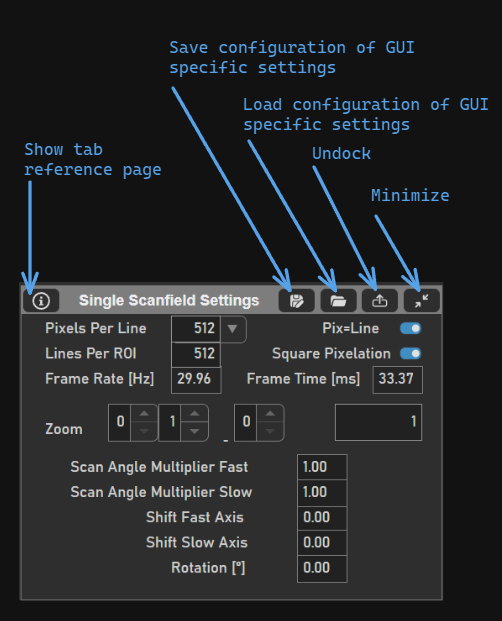
Here is a brief explanation of features common to all tabs and GUIs.
GUI |
Tab |
|

|